
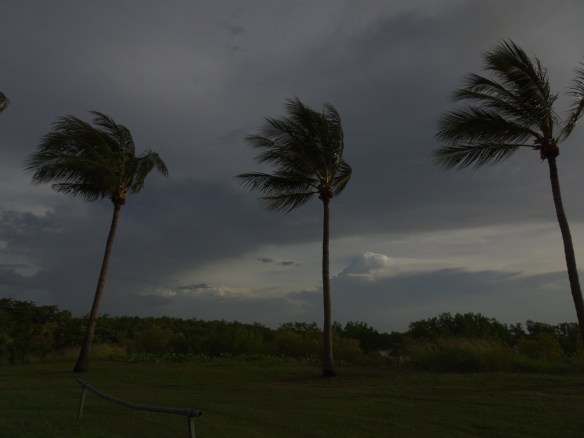
For this assignment we were to find one of our photos where the lighting or exposure was off and fix it using the tools in Lightroom and Photoshop we’d learnt about in Day 23: Control the Light.
I selected this photo from Day 6 Assignment – Stop the Action because Jim Hamel liked it but said it needed brightening in post processing.
This first photo is the original.
The second photo shows the results of my first attempt at brightening using the basic sliders in Lightroom and slight cropping on the left side to remove a partial palm frond.

I hadn’t made notes of the adjustments I’d made so I went back and the third photo shows the results after I
increased the contrast and highlights
brought down the shadows
increased the whites
brought down the blacks
and I removed the log fence in Photoshop.

Then in photo 4, I went a bit further and
increased the temperature, tint and vibrance
lowered the saturation
increased the clarity
lowered the dehaze.

 DRIVING AUSTRALIA